
Email notifications are useful when someone submits a form, but they do not have to be the only record of what was sent.
Elzo Forms stores accepted form submissions directly on your WordPress site. Submitted field values, uploaded files, and submission details can then be reviewed from the WordPress admin, even if an email notification is missed, filtered, or deleted.
Submission storage is included in the free version of Elzo Forms and does not require an external Elzo account.
View Elzo Forms on WordPress.org
Where are WordPress form submissions stored?
When someone successfully submits an Elzo Forms form, a submission record is stored on your WordPress site.
You can review these records from:
WordPress Admin → Forms → Submissions
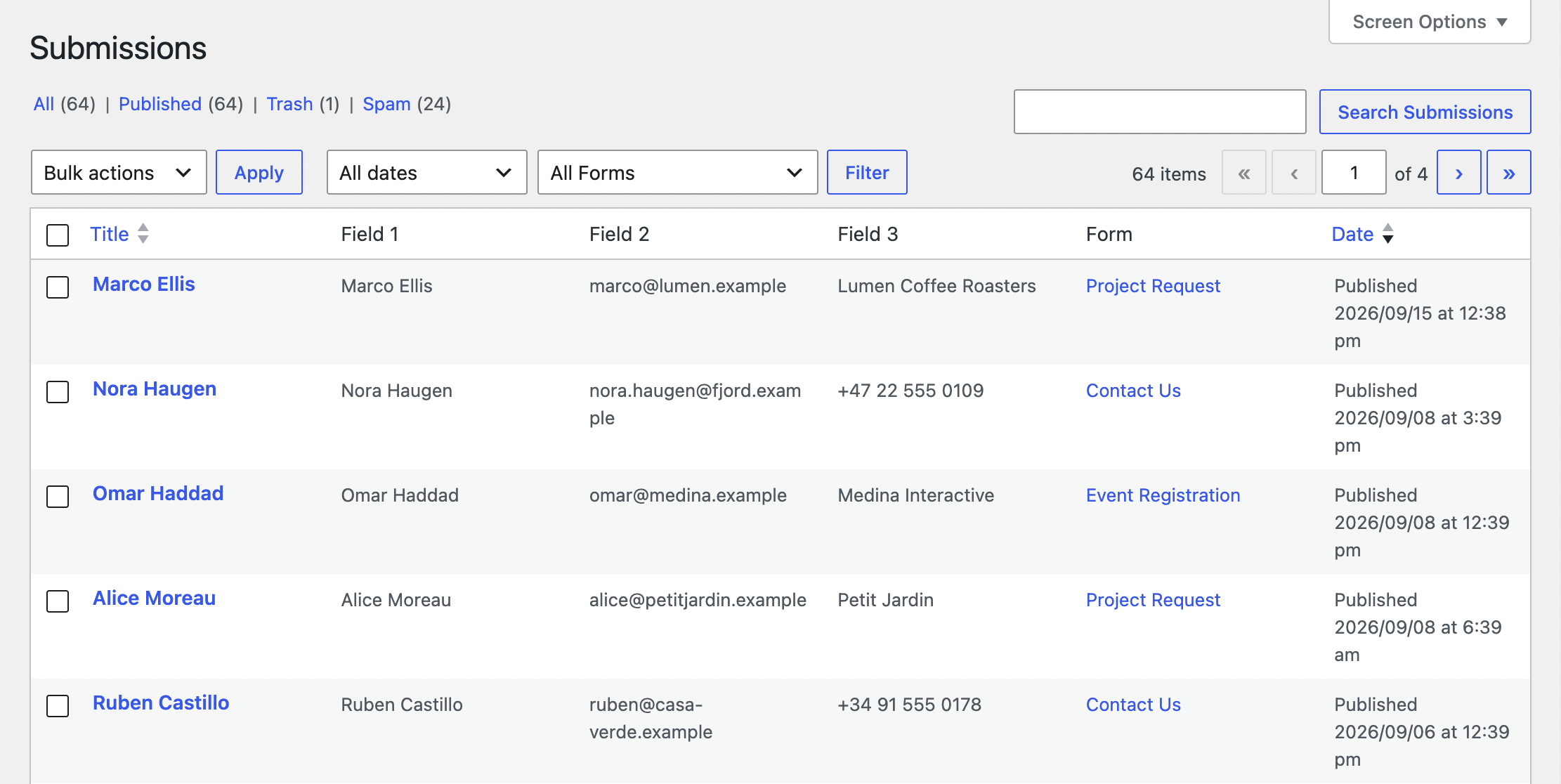
The submissions screen gives you a central place to review responses collected by different forms instead of searching through email notifications.
This is useful for contact forms, quote requests, applications, project inquiries, feedback forms, file upload forms, and other workflows where you may need to return to the original information later.
What information is stored with a submission?
A submission contains the values entered into the form together with information about when and where the form was submitted.
Depending on the submission, this can include:
- submitted form field values;
- uploaded files;
- submission date and time;
- visitor IP address and browser user agent;
- the page where the form was submitted;
- the WordPress user ID when the visitor is logged in.
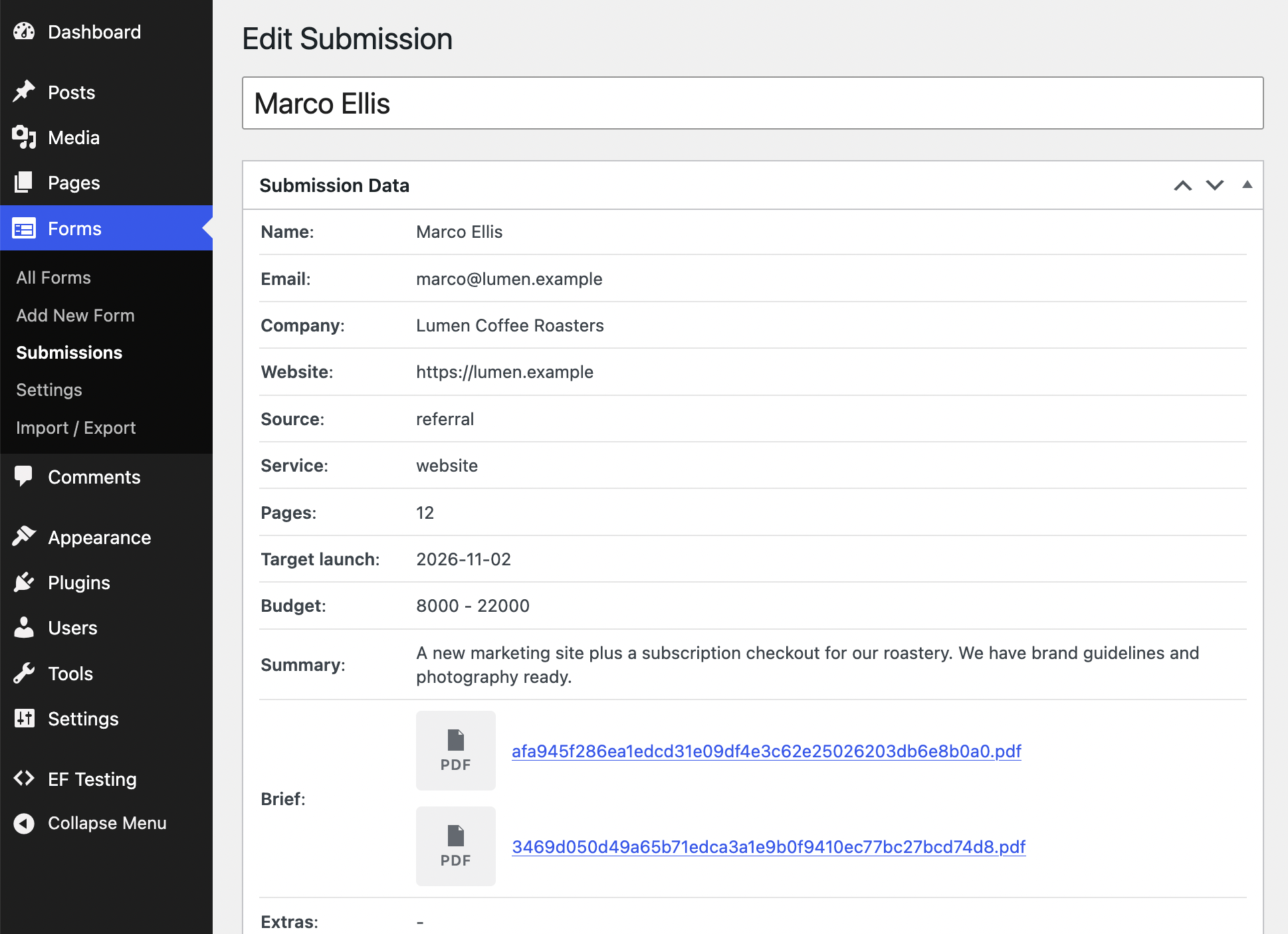
Keeping this information together is particularly helpful for larger forms where an email notification may contain only a summary or where several files and fields need to be reviewed later.
Why save form entries instead of relying only on email?
Email notifications are convenient for letting someone know that a new submission has arrived. They are less suitable as the only long-term record of form activity.
An email can be filtered as spam, sent to the wrong recipient, accidentally deleted, or become difficult to locate months later.
For example, imagine receiving this project request:
Name: Alex Carter
Email: alex@example.com
Project type: Website redesign
Budget: $5,000–$10,000
Message: Project requirements and notes
Attachments: brief.pdf, current-site.jpg
If the notification email is no longer available, the original submission can still be opened from WordPress and reviewed together with its attachments.
A practical setup is therefore:
Visitor submits the form → email notification is sent → the original submission remains available in WordPress
Uploaded files stay connected to the submission
Submission storage is especially useful when a form accepts attachments.
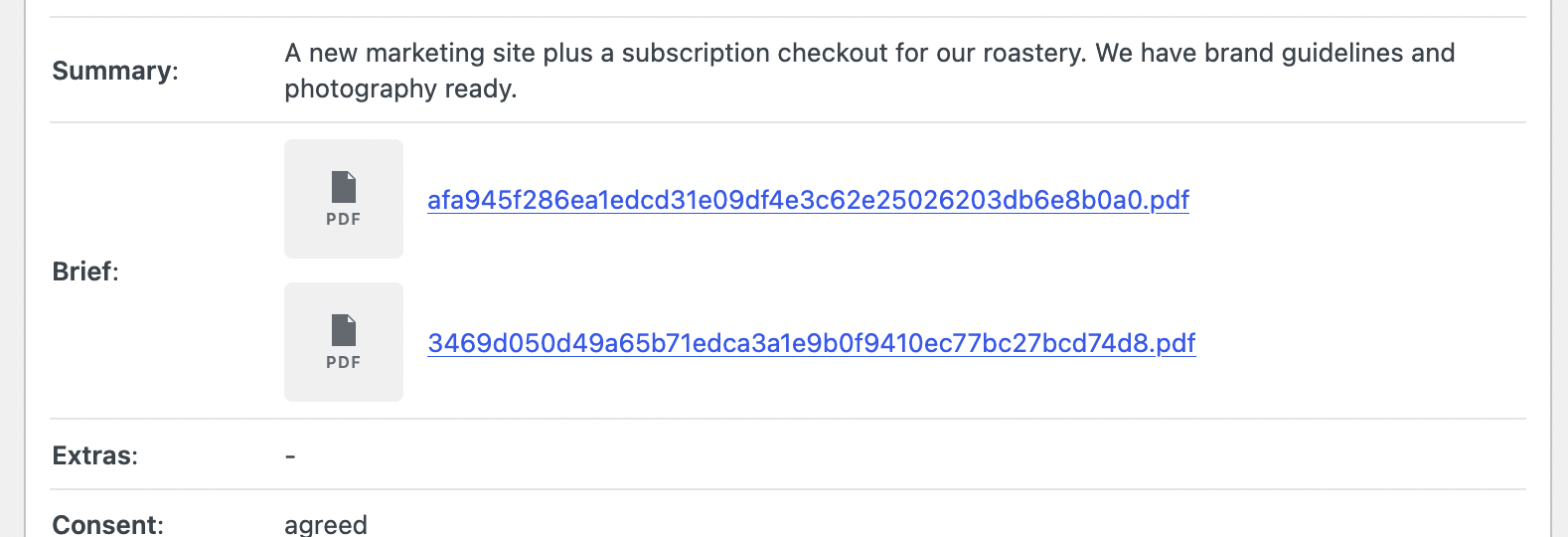
Files uploaded through Elzo Forms are stored on the WordPress site and remain associated with the corresponding submission, so you can review the submitted values and attachments together.
This is useful for workflows such as job applications with a CV and portfolio, quote requests with project photos, support requests with screenshots, or project briefs containing drawings and reference documents.
If your form needs to accept several attachments through a single field, see how to create a WordPress form with multiple file uploads.
Form submissions stay on your WordPress site
By default, Elzo Forms processes and stores its submission data on your own WordPress installation rather than requiring an external form platform.
Submission records are stored in WordPress, while files uploaded through form fields are stored below your site’s WordPress uploads directory.
Optional services such as Google reCAPTCHA and Akismet are separate. They communicate with their respective third-party services only when you explicitly enable and configure those integrations.
This means the normal workflow — building the form, receiving submissions, reviewing entries, and accessing uploaded files — can remain within the same WordPress installation.
A note about privacy and data retention
Stored form submissions can contain personal information, especially when a form collects names, email addresses, IP addresses, application documents, or other identifying data.
If you store submissions on your site, consider who should have access to them, how long they need to be retained, and whether your site’s privacy policy should explain what information is collected and why.
Elzo Forms keeps forms, submissions, uploaded files, and settings when the plugin itself is deleted, so removing the plugin should not be treated as a way to erase previously collected form data.
Stored submissions and conditional forms
Saved entries are also useful when a form changes according to the visitor’s answers.
For example, a quote request could first ask which service the visitor needs. Conditional logic can then display only the follow-up questions relevant to that service.
When the form is submitted, the resulting answers are stored together as one submission rather than being spread across separate forms or email conversations.
Conditional field visibility is available in Elzo Forms Free and can be combined with stored submissions, file uploads, and multi-step forms.
Can Elzo Forms send email notifications too?
Yes. Saving submissions does not mean that you need to regularly open the WordPress admin just to see whether a new entry has arrived.
Elzo Forms can send an email notification when a form is submitted. The notification recipient, subject, and message can be configured in the form settings while the original submission remains stored on the site.
This gives you two different tools for two different purposes: email for immediate notification and WordPress submissions for reviewing the original entry later.
Are stored submissions available in Elzo Forms Free?
Yes. Storing and reviewing form submissions is part of Elzo Forms Free.
The free plugin also includes email notifications, single and multiple file uploads, multi-step forms, conditional field visibility, AJAX submissions, spam controls, form styling, and Gutenberg integration.
Elzo Forms PRO is intended for more advanced workflows such as post-submission automations, webhooks, additional condition types, and automation actions. PRO is not required simply to store form entries in WordPress.
Save WordPress form entries on your site
If you need a free WordPress form plugin that saves entries, Elzo Forms can keep submitted values, uploaded files, and submission details available from the WordPress admin while also sending email notifications when new forms are submitted.
This gives you a record of the original submission without requiring an external account or relying entirely on the contents of an email inbox.
Install Elzo Forms from the official WordPress Plugin Directory